Best Customs Clearance Software: Key Features and Evaluation Criteria for Importers
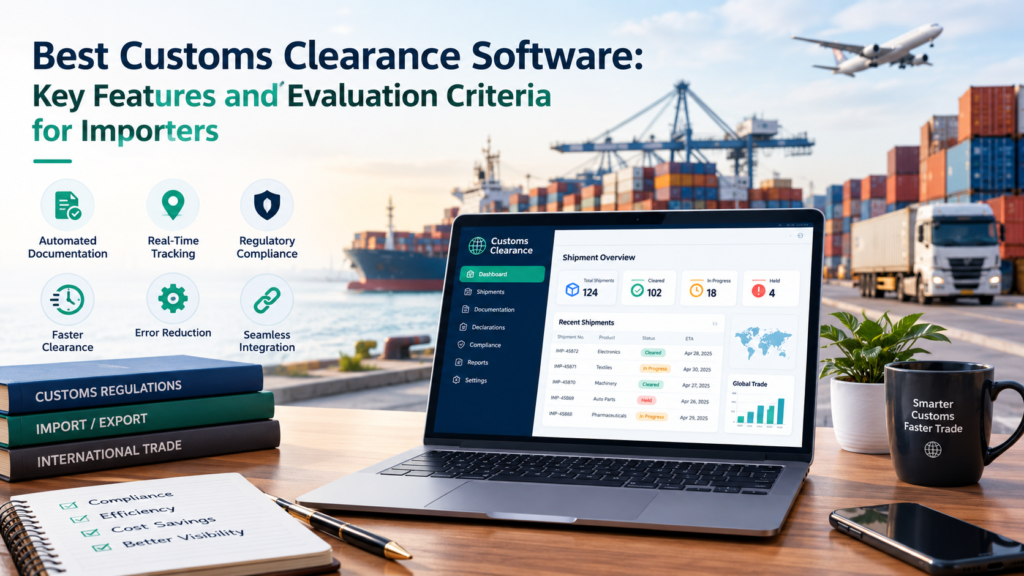
Managing international shipments requires accurate customs information, organized documentation, and consistent regulatory procedures. As import operations expand, businesses often explore digital tools to reduce administrative work. Selecting the best customs clearance software requires understanding operational needs, compliance responsibilities, and the capabilities that support reliable shipment processing.
The most suitable digital approach is not necessarily the one with the greatest number of features. It is the one that addresses actual workflow challenges while maintaining accuracy and accountability.
Why Customs Clearance Software Matters
Import operations frequently involve large amounts of shipment information.
Employees must coordinate invoices, tariff classifications, declared values, origin information, and regulatory documents.
Manual processing becomes increasingly difficult when shipment volumes grow.
The Limitations of Disconnected Workflows
Separate spreadsheets, email records, and document folders can create inconsistent information.
Employees may spend unnecessary time locating records or repeating data entry.
Centralized workflows can reduce these problems and support more efficient customs preparation.
Essential Features to Evaluate
Businesses should compare capabilities according to their specific import responsibilities.
Accurate Entry Data Management
Customs declarations require consistent merchandise information.
A suitable system should support organized data collection and identify missing or inconsistent fields.
Tariff Classification Records
Maintaining accurate classifications is essential for customs reporting.
Digital records can improve consistency when businesses import similar products repeatedly.
Document Organization
Importers should be able to locate supporting invoices, transportation records, and applicable certificates.
Structured documentation supports internal reviews and regulatory inquiries.
Electronic Communication
Depending on the jurisdiction, electronic data exchange may improve communication with customs authorities and other participants.
Businesses should verify that relevant reporting requirements are supported.
Exception Management
Unusual shipments may require additional review.
Clear exception workflows help employees recognize and resolve issues before submission.
How to Compare Customs Clearance Capabilities
A structured evaluation process can prevent unsuitable decisions.
Identify Existing Problems
Businesses should document common challenges such as duplicate data entry, delayed documentation, or recurring declaration corrections.
These findings provide practical evaluation criteria.
Review Data Accuracy Requirements
Digital processes depend on accurate source information.
Businesses should examine how product descriptions, values, and classifications are maintained.
Consider Employee Usability
Complicated workflows may increase training needs and create unnecessary errors.
Employees should be able to understand routine tasks and identify situations requiring additional review.
Assess Information Security
Customs records may contain sensitive commercial information.
Appropriate access controls, data protection practices, and record retention procedures are important considerations.
Avoiding Common Evaluation Mistakes
Businesses sometimes focus on automation capabilities without considering the quality of existing records.
Automation cannot reliably compensate for incomplete or incorrect shipment information.
Another mistake involves assuming that every import operation follows identical requirements.
Shipment types, regulatory obligations, and transaction volumes should influence evaluation criteria.
Measuring Operational Improvements
The effectiveness of customs clearance software should be evaluated using practical results.
Track Documentation Accuracy
Monitoring correction frequency can reveal whether processes are becoming more reliable.
Review Processing Efficiency
Businesses can measure the time required to prepare and verify customs information.
Monitor Regulatory Exceptions
Frequent exceptions may indicate gaps in training or documentation procedures.
Importers can also review customs clearance best practices when assessing operational improvement opportunities.
Future Considerations
Advanced validation, intelligent document processing, and electronic integration may improve customs workflows.
However, businesses should distinguish between automated suggestions and verified regulatory decisions.
Knowledgeable oversight remains necessary for complex classifications and unusual transactions.
Conclusion
Finding the best customs clearance software requires a clear understanding of import operations, documentation needs, and regulatory responsibilities.
Businesses should prioritize data accuracy, organized records, reliable validation, and practical usability.
A thoughtful evaluation approach helps organizations improve customs processing while maintaining the internal controls necessary for responsible international trade.