Why Anonymous Q&A Features Matter in Meetings and Educational Presentations
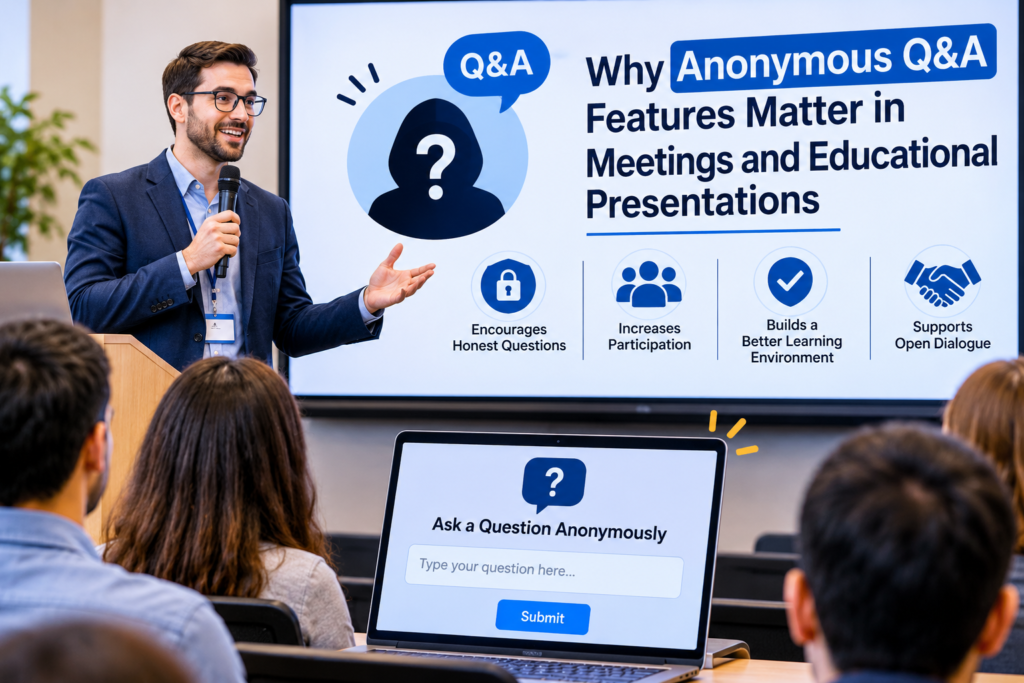
Effective communication is essential for successful meetings and educational presentations. Whether a business team is discussing important projects or a teacher is explaining a new subject, participants need opportunities to ask questions, share opinions, and clarify information. However, not everyone feels comfortable speaking in front of a group. Some employees may hesitate to question a manager, while students may feel nervous about asking questions in front of their classmates.
Anonymous Q&A features help address this challenge by allowing participants to submit questions without displaying their identities to the audience. This creates a more comfortable environment where people can express their concerns, request explanations, and participate in discussions more confidently.
Modern interactive presentation tools often include anonymous question-and-answer features that make meetings and classroom sessions more engaging. These features can improve participation, help presenters understand audience concerns, and encourage more open communication.
What Are Anonymous Q&A Features?
Anonymous Q&A features allow audience members to submit questions during a interactive presentation tools without publicly revealing their names. Depending on the software, participants may use a mobile device, computer, or shared presentation interface to send their questions.
The presenter can review submitted questions, select relevant ones, and answer them during the session. Some platforms also allow participants to vote on questions submitted by others, helping presenters identify the topics that deserve the most attention.
Common features include:
- Anonymous question submission: Participants can ask questions without displaying their identities.
- Live question display: Questions can appear on the presenter’s screen during a session.
- Question upvoting: Participants can vote for questions they also want answered.
- Moderation controls: Presenters can review questions before displaying them publicly.
- Question organization: Similar questions can be grouped to make discussions easier to manage.
- Real-time responses: Presenters can address questions during the presentation instead of waiting until the end.
These features make Q&A sessions more organized and provide additional ways for audiences to participate.
Why Anonymous Q&A Features Matter in Business Meetings
Business meetings often involve employees, managers, department heads, and external stakeholders. Although participants may have valuable questions, workplace hierarchies and professional expectations can sometimes discourage open discussion.
Anonymous Q&A features help reduce these communication barriers.
1. Encourage Employees to Ask Questions Freely
Some employees hesitate to ask questions because they worry about appearing inexperienced or challenging someone in a senior position. Others may avoid discussing sensitive topics in front of colleagues.
Anonymous Q&A gives employees another way to communicate their concerns. They can ask about project expectations, company policies, workplace changes, or management decisions without publicly identifying themselves.
For example, during a company meeting about a new working policy, employees may want clarification about scheduling, responsibilities, or performance expectations. Anonymous submissions allow them to raise these questions more comfortably.
This can help managers understand employee concerns and provide clearer explanations.
2. Improve Communication Between Employees and Managers
Good communication requires information to move in both directions. Managers need to explain business decisions, but they also need to understand what employees think about those decisions.
Anonymous Q&A features create an additional communication channel between leadership and staff.
Employees can submit questions about:
- Changes in company policies.
- New business strategies.
- Department responsibilities.
- Workplace expectations.
- Performance evaluation procedures.
- Training and development opportunities.
- Organizational challenges.
Managers can review these questions and respond to recurring concerns. This makes meetings more useful because discussions are based on the issues employees actually want to understand.
3. Identify Problems Earlier
Employees may notice operational problems before they become visible to senior management. However, they might not always feel comfortable reporting these issues during a public meeting.
Anonymous question submission can help reveal concerns related to communication gaps, project delays, unclear responsibilities, and inefficient processes.
For example, if several employees independently ask about unrealistic deadlines, management may recognize that workload planning requires attention.
Anonymous feedback does not replace formal reporting procedures, but it can help organizations identify subjects that deserve further investigation.
4. Make Meetings More Inclusive
In traditional meetings, the same participants may dominate discussions while others remain quiet. This can limit the range of opinions available to decision-makers.
Anonymous Q&A gives participants an alternative to speaking publicly. Employees who are naturally reserved, new to the organization, or less confident in group discussions can still contribute.
It is important to remember that anonymity alone does not guarantee equal participation. Meeting organizers should also provide clear instructions, sufficient response time, and accessible ways to submit questions.
5. Support Better Business Decisions
Business decisions often involve multiple departments and different perspectives. If employees cannot comfortably share their concerns, managers may make decisions without understanding important practical challenges.
Anonymous Q&A can help collect questions about proposed strategies, resource allocation, deadlines, and implementation plans.
Presenters can review the responses and use them to guide discussions. This does not mean every question must determine the final decision, but considering employee concerns can help management make more informed choices.
Why Anonymous Q&A Features Matter in Educational Presentations
Students do not always feel comfortable asking questions during classroom presentations. They may worry about making mistakes, receiving negative reactions, or interrupting the teacher.
Anonymous Q&A features can make educational sessions more welcoming by allowing students to ask questions without publicly identifying themselves.
1. Help Shy Students Participate
Some students understand a lesson but hesitate to ask questions because they feel nervous speaking in front of classmates.
Anonymous Q&A provides an alternative way to participate. Students can submit questions about difficult concepts, unfamiliar terms, or confusing examples without drawing attention to themselves.
For example, during a mathematics lesson, a student may struggle with a particular calculation but feel uncomfortable asking for help publicly. An anonymous question can give the teacher an opportunity to explain that step again.
This can help students receive clarification without unnecessary pressure.
2. Create a More Supportive Learning Environment
Students learn more effectively when they feel comfortable asking questions and expressing uncertainty. If they believe their questions will be treated respectfully, they may become more willing to participate.
Anonymous Q&A can support this environment by reducing the fear of embarrassment.
Teachers can encourage students to submit questions about any part of the lesson, including topics they do not fully understand. They can then address common questions during the presentation.
However, educators should respond respectfully to every relevant question and avoid using anonymous submissions to embarrass or criticize students.
3. Help Teachers Identify Knowledge Gaps
A teacher may assume that students understand a topic because no one asks questions. In reality, some students may be confused but unwilling to speak.
Anonymous Q&A helps educators discover these knowledge gaps.
For example, after explaining a science topic, a teacher might invite students to submit questions about the most confusing part of the lesson. If several students ask about the same concept, the teacher can recognize that it needs additional explanation.
This information can help educators adjust their teaching methods and provide more useful examples.
4. Encourage Participation During Online Classes
Online education creates different communication challenges. Students may be attending classes from different locations, using mobile devices, or dealing with technical limitations.
Some students may also feel less comfortable interrupting a virtual presentation.
Anonymous Q&A features allow learners to submit questions while the teacher continues explaining the topic. The instructor can review the questions and answer them at suitable moments.
This approach can improve communication during:
- Live online lectures.
- Virtual workshops.
- Educational webinars.
- Group learning sessions.
- Online examination preparation.
- Remote training programs.
5. Make Classroom Discussions More Meaningful
Questions can help students explore subjects beyond the basic lesson material. Anonymous Q&A allows them to raise additional questions that may lead to useful classroom discussions.
For example, during a history presentation, students might ask about the causes of an important event, its long-term effects, or different historical interpretations.
Teachers can select relevant questions and use them to introduce new perspectives. This makes presentations more interactive and encourages students to think critically.
How Anonymous Q&A Improves Audience Engagement
Anonymous Q&A is not limited to business meetings and educational environments. It can also improve audience participation during conferences, seminars, workshops, and professional presentations.
Traditional presentations often require audiences to wait until the presenter finishes before asking questions. Some participants may forget their questions, while others may decide not to ask them publicly.
Anonymous Q&A provides a more flexible approach.
Real-Time Participation
Participants can submit questions while the presentation is taking place. This allows presenters to understand audience interests and respond to important concerns during the session.
More Relevant Discussions
Question upvoting helps identify which topics are important to multiple participants. Presenters can focus on questions that have the greatest relevance to the audience.
Reduced Communication Barriers
Anonymous submissions provide an alternative for people who do not feel comfortable speaking in public.
Better Use of Presentation Time
Organized questions help presenters avoid repeating similar explanations. They can group related questions and address them together.
Greater Audience Involvement
When participants know their questions may be addressed, they have an additional reason to pay attention and engage with the presentation.
Best Practices for Using Anonymous Q&A Features
Anonymous Q&A can improve communication when presenters use it thoughtfully. Poor organization, unclear instructions, or a lack of follow-up can reduce its effectiveness.
The following practices can help create a better experience.
Explain How Anonymous Questions Work
Before starting the session, explain how participants can submit questions and whether their identities will remain hidden.
Be transparent about the platform’s actual privacy settings. Some tools may hide names from the audience while still allowing organizers or administrators to access certain information.
Set Clear Participation Guidelines
Encourage participants to submit relevant, respectful, and understandable questions.
For example, meeting organizers can explain that questions should relate to the presentation topic, business discussion, or educational material.
Clear guidelines help prevent irrelevant submissions and make moderation easier.
Allow Questions Throughout the Presentation
Do not restrict every question to the final few minutes. Giving participants opportunities to submit questions during different sections can help presenters address confusion before moving to another topic.
However, the presenter should decide when to pause and respond so that the session maintains a logical flow.
Use Question Upvoting
When a presentation receives many questions, answering every submission individually may not be practical.
Question upvoting allows participants to show which questions they consider most important. Presenters can use these results to prioritize the discussion.
Moderate Questions When Necessary
Anonymous communication can sometimes lead to irrelevant, repetitive, or inappropriate submissions.
Moderation tools help presenters review questions before displaying them publicly. This is especially important in educational settings and large public events.
Moderation should focus on maintaining a respectful discussion without unnecessarily removing reasonable criticism or difficult questions.
Group Similar Questions Together
Several participants may ask about the same issue using different wording. Organizing related questions into categories can make the Q&A session easier to manage.
For example, a business presentation might receive questions about project deadlines, budgets, and employee responsibilities. The presenter can group these topics and address each category separately.
Provide Follow-Up Answers
Not every question can be answered during a live session. Presenters should explain how unanswered questions will be handled.
They may provide written responses after the meeting, share additional learning materials, or arrange a separate discussion for more complicated issues.
Following up demonstrates that participant contributions are taken seriously.
Popular Interactive Presentation Tools With Anonymous Q&A Features
Several interactive presentation platforms provide audience question-and-answer features. Their specific privacy controls, moderation options, and available plans may vary.
Mentimeter
Mentimeter offers audience engagement features, including Q&A activities that allow participants to submit questions during presentations.
It can be useful for business meetings, classroom discussions, workshops, and training sessions. Presenters can review audience questions and use them to guide discussions.
Slido
Slido provides Q&A features that allow participants to submit and upvote questions. It is particularly useful for meetings, conferences, and educational events where organizers need to manage audience questions.
Its moderation options can also help presenters organize submissions and maintain a focused discussion.
Vevox
Vevox offers audience engagement features such as live polling, surveys, and Q&A activities. Organizations and educators can use it to collect feedback and encourage participation during presentations.
AhaSlides
AhaSlides provides interactive presentation features, including Q&A activities, polls, quizzes, and audience participation options. It can help presenters create more engaging sessions for teams, students, and event audiences.
Before selecting a platform, users should check whether its current Q&A settings support the level of anonymity required for their particular environment.
Challenges and Limitations of Anonymous Q&A
Although anonymous Q&A features provide several benefits, they also have limitations. Understanding these challenges can help presenters use the features responsibly.
Inappropriate Submissions
Some participants may submit irrelevant or disrespectful questions when their identities are hidden. Moderation and clear participation guidelines can reduce this problem.
Large Numbers of Questions
Popular presentations may receive more questions than the presenter can answer. Upvoting, grouping, and prioritization can help manage the volume.
Limited Follow-Up Communication
When a question is submitted anonymously, the presenter may not be able to contact the person directly for clarification. Providing a separate follow-up channel can help address complicated questions.
Privacy Misunderstandings
Participants may assume that anonymous submissions are completely untraceable. However, privacy settings differ between platforms. Organizers should explain what information is visible to presenters and administrators.
Dependence on Technology
Internet connectivity, device compatibility, and software access can affect participation. Presenters should provide alternative ways to ask questions when technical problems occur.
How to Choose the Right Anonymous Q&A Tool
Selecting suitable software depends on the size of the audience, presentation objectives, privacy requirements, and available budget.
Before choosing a platform, consider these important factors:
- Anonymity settings: Check whether participants can submit questions without displaying their names and understand what information organizers can access.
- Moderation options: Look for controls that allow presenters to review and manage questions.
- Question upvoting: This feature can help prioritize questions during large meetings.
- Ease of use: Participants should be able to submit questions without complicated registration or technical instructions.
- Integration options: Check whether the tool works with the presentation software or meeting platform already used by your organization.
- Audience capacity: Make sure the platform supports the expected number of participants.
- Reporting features: Some organizations may benefit from reviewing questions and feedback after a session.
- Pricing and access: Compare available plans and determine whether the necessary features are included.
A tool that is simple, reliable, and suitable for the audience is often more valuable than software with many features that participants rarely use.
Conclusion
Anonymous Q&A features matter in meetings and educational presentations because they create additional opportunities for people to ask questions, express concerns, and participate in discussions. In business environments, they can help employees communicate with managers, identify workplace challenges, and contribute to better decisions. In classrooms, they allow students to seek clarification, overcome hesitation, and engage more actively with learning materials.
Interactive presentation tools such as Mentimeter, Slido, Vevox, and AhaSlides offer features that can support these activities. However, successful anonymous Q&A sessions require clear guidelines, appropriate moderation, transparent privacy information, and meaningful follow-up.
When used effectively, anonymous Q&A features can make presentations more inclusive, improve communication, and help presenters understand what their audiences really want to know.